Admin Dashboard Access
How to get added to the Admin Dashboard, what role to request, and what the internal config keys do. For platform concepts and client/module management, see the Admin Dashboard Guide.
Roles & permissions
| Role | Who it's for | What they can do |
|---|---|---|
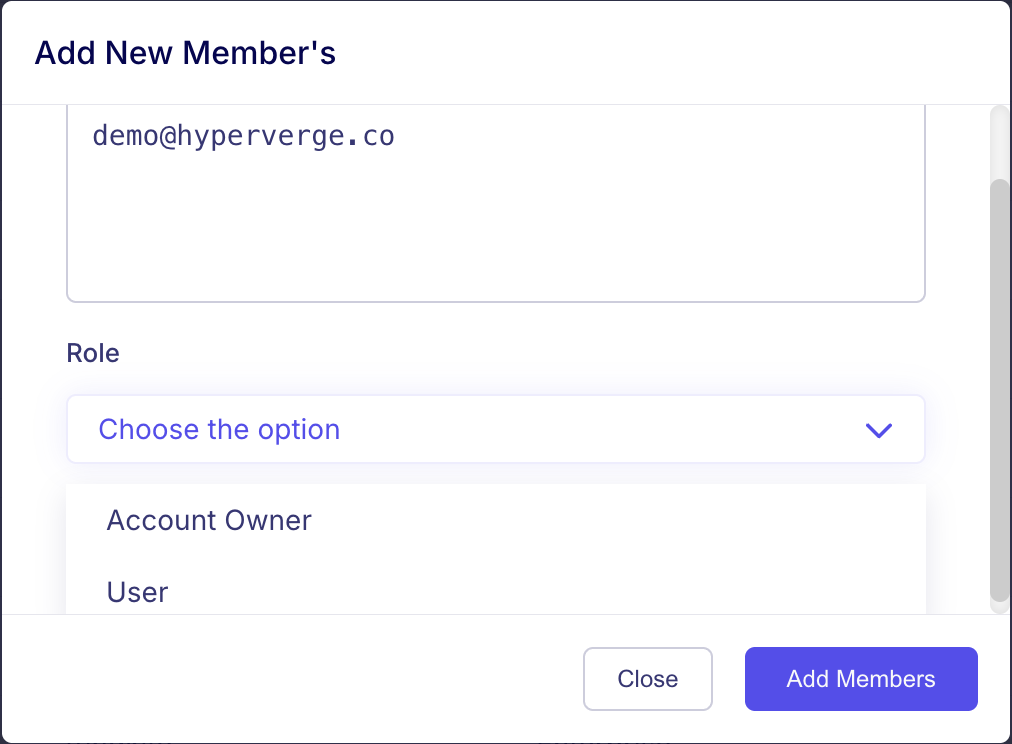
| User | Everyone else at HyperVerge | View-only access to all clients and modules. |
| Account Owner | Sales / KAM team | View-only + create new clients and update details of assigned clients. |
Only emails with @hyperverge.co domain can be added to Admin Dashboard.
Requesting access
To be added to the Admin Dashboard, ask your functional leader. Access is granted one of two ways.
1. Via Slack (#platform-requests-channel)
- In #platform-requests-channel, type
/platform-request-assistant. A pop-up opens. - Under Select Request Type, pick Add User To Admin Dashboard.
- Under Preferred Granter, select the functional leader of your team.
- Enter the new user's email and submit.
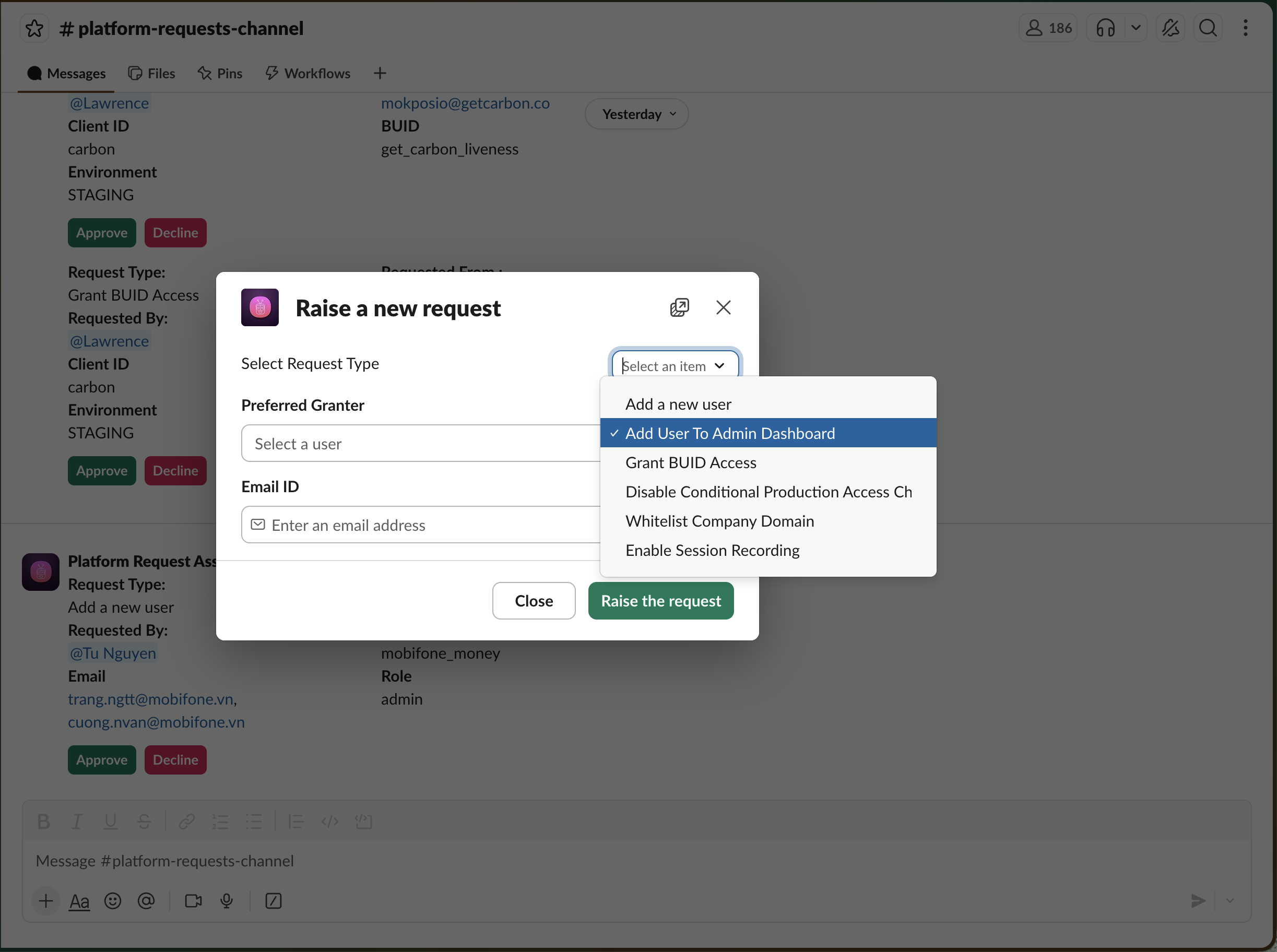
Submitting the request sends a Slack notification to the Preferred Granter, who can grant access directly from Slack.
2. Directly from the Admin Dashboard
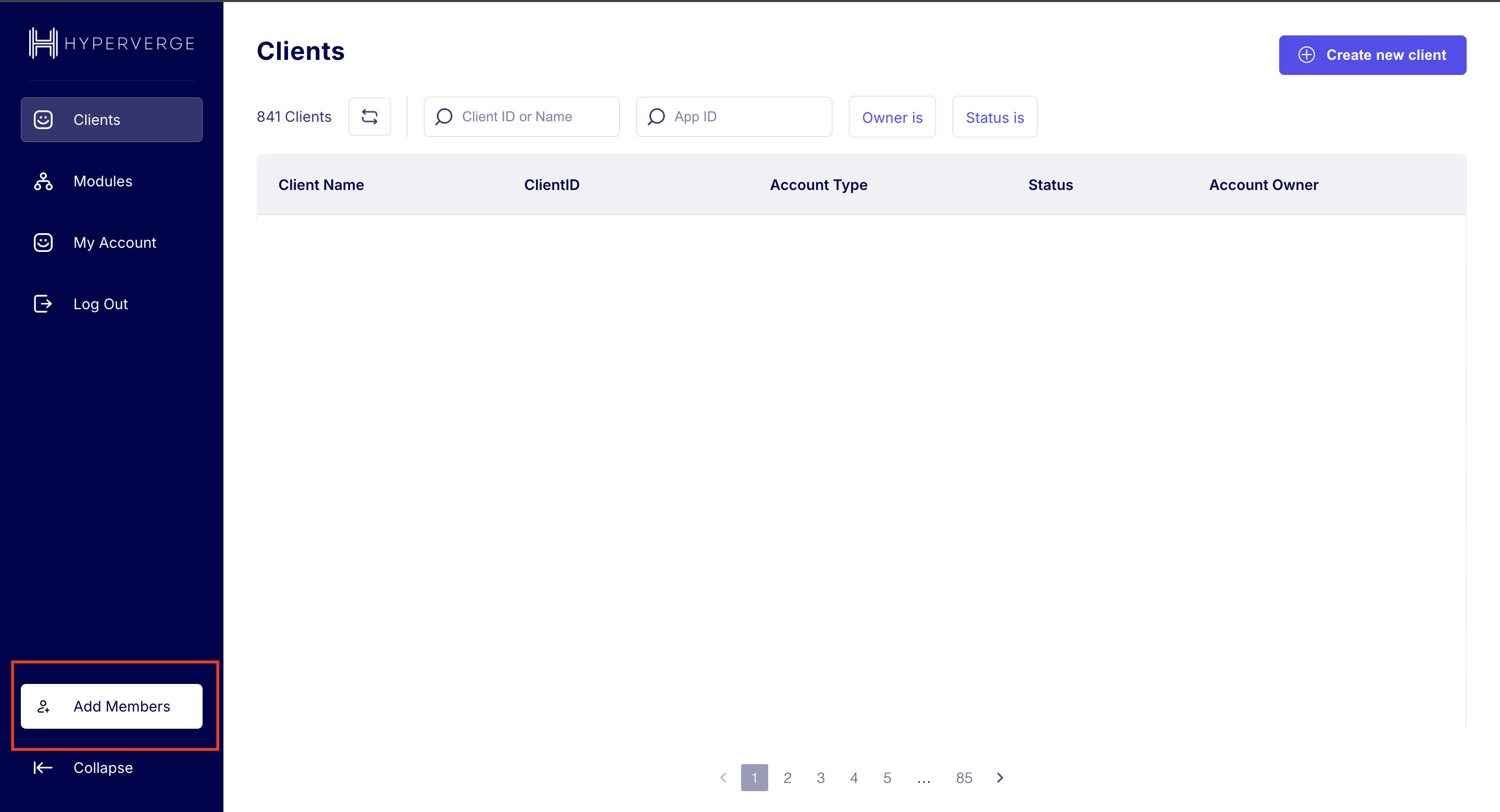
Functional leaders can also add members as part of user onboarding by clicking the Add Members button on the Admin Dashboard:
Specify the role the new user needs:
Internal config keys (special roles)
These are internal config variable names used by the Admin Dashboard backend to grant elevated capabilities. A user can have multiple keys. To request one, reach out to your functional leader with the key name and purpose.
| Config key | Capability |
|---|---|
superAdminList | Full unrestricted access across dashboard |
superAdminListForModules | Full access to the Modules tab (add, edit, modify) |
productManagersList | Create and edit modules they own |
adminListToInviteUsers | Can invite new users |